
Your first puzzle book, in four steps.
Sign up for a free account, pick your puzzles and download a print-ready PDF. Most books take a few minutes.
- 1
Create a free account
Sign up with email or Google. Your free starter tokens are added right away — see How tokens work.
- 2
Choose puzzles
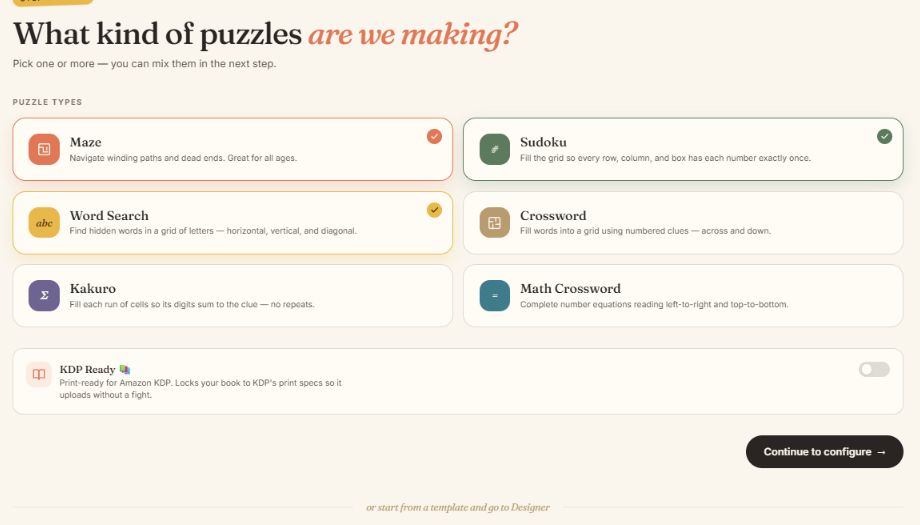
Pick one or more types — Maze, Sudoku, Word Search, Crossword, Kakuro, Math Crossword. Mixing is welcome.
- 3
Configure
Set difficulty, how many puzzles, theme, page layout and the order of puzzles. A live page preview shows exactly how a page will look.
- 4
Design a cover
Choose a cover style, edit the title and colours, or upload your own cover image.
- 5
Review & export
Check the cost, generate the book and download the PDF. Solutions are included at no extra cost.
Step 2: see the page before you pay
In Book assembly you choose how much of the page each puzzle fills and pick a border. The page preview uses the same engine as the PDF, so what you see is what you get.

Good to know
- Publishing on Amazon KDP? Switch on KDP Ready in step 1 (available on paid plans). It locks trim size and margins to KDP specs and gives you separate interior and cover PDFs.
- Want to tweak the result? Open the book in the Designer.
- Your books are saved under My Books.